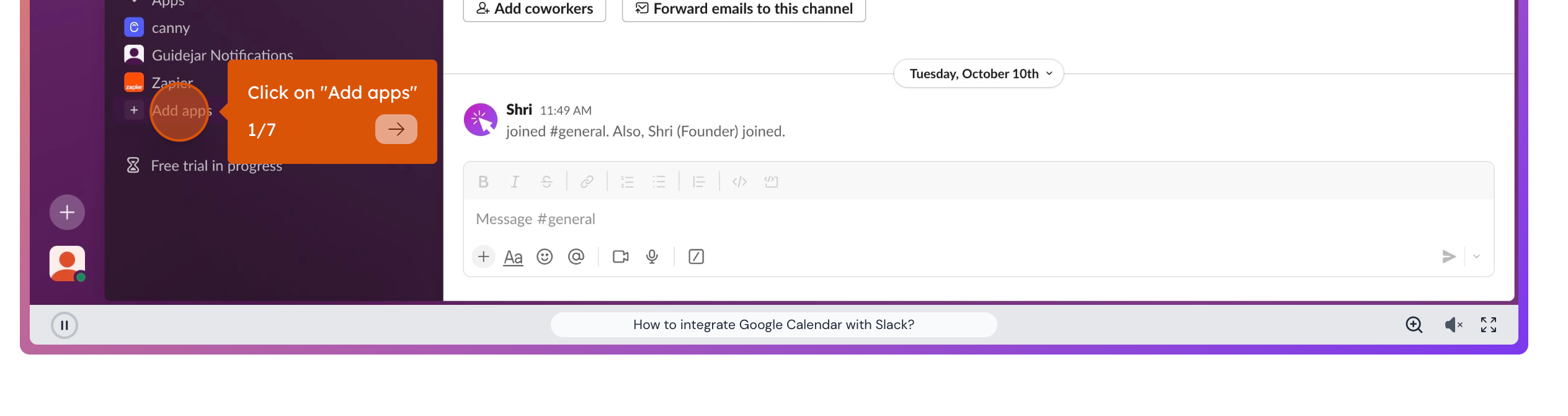
The All New "Controls bar" for Interactive Demos
We're thrilled to announce a significant update to our interactive demos – a brand new Controls Bar! This latest enhancement empowers users with greater navigation and interaction capabilities. Here's what you're audience can do now:
Step Navigation: Move seamlessly between steps in your demo with forward and backward navigation buttons. Play/Pause: Take control of your auto-playable demos with simple play and pause functionalities. Zoom In/Out: Dive deeper into details or get a broader view with our zoom features. Sound Toggle: Choose to experience the demo with or without sound Fullscreen Mode: Immerse fully in your demo with the option to switch to fullscreen view.
This update is all about giving you and your users a more intuitive and customizable experience. Try out these new features and take your interactive demos to the next level!