
Got Screenshots? That's a Guide 📜

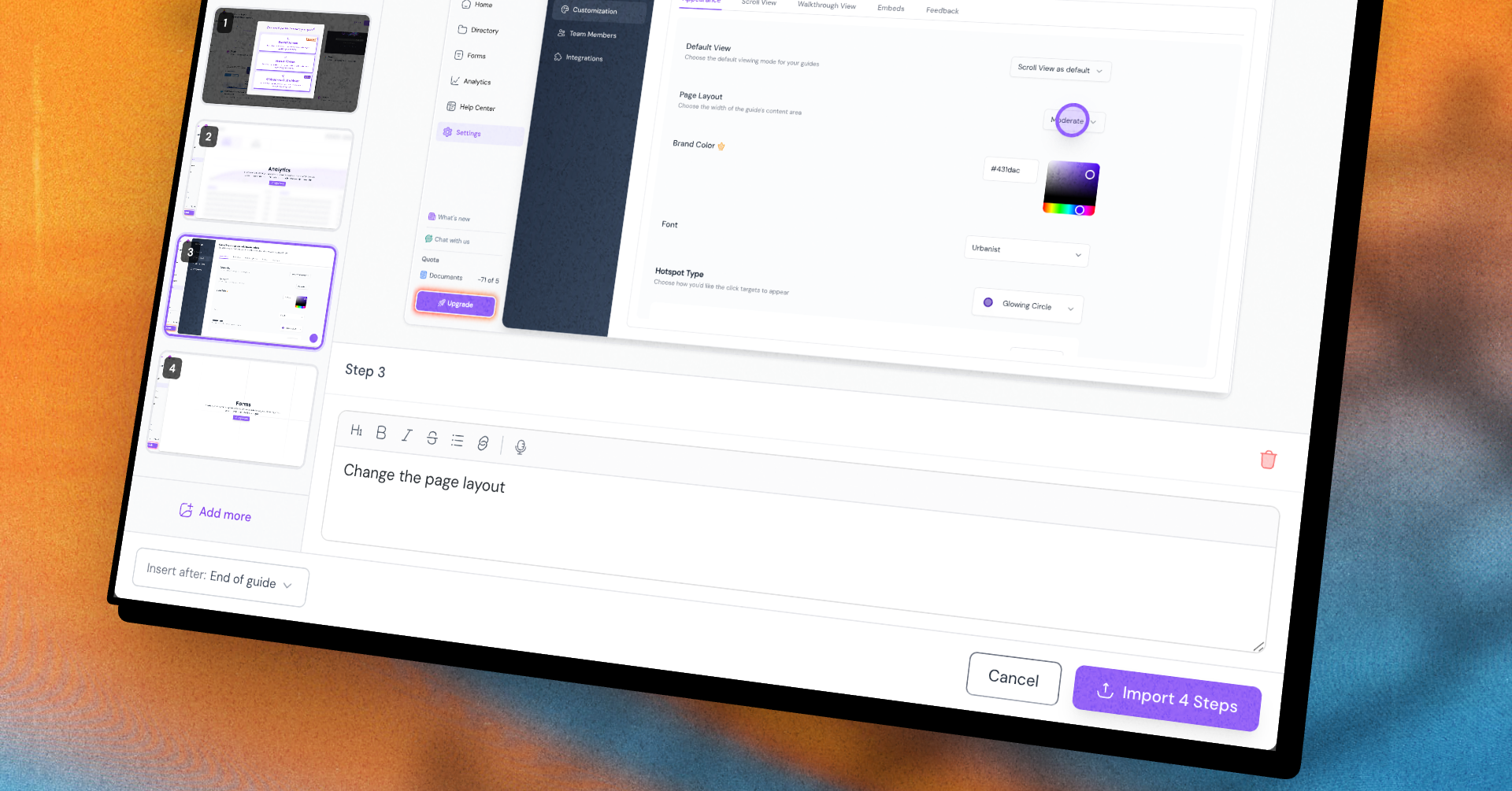
You've got a folder full of screenshots. Someone sent them over Slack, you grabbed a few on your phone, a designer exported the rest. There's a guide buried in there somewhere — but until now, getting it out meant recapturing every single screen from scratch.
Now you don't have to.
With Import Screenshots, you can upload a batch of images and turn them into individual steps in one go. Drop them in, and Guidejar lays them out for you to polish:
-
Write instructions for each step right there, with full rich-text formatting
-
Drop a hotspot anywhere on an image with a click
-
Drag to reorder until the flow makes sense
-
Choose where they land — at the end of your guide, or tucked in right after any existing step
Then hit import, and your screenshots become real, editable steps in your guide.
It's the fastest way to bring existing material into Guidejar — no re-recording, no starting from scratch.
Give it a try on your next guide.