
Chrome extension v2.5.1: your dashboard is now a remote control 🧩

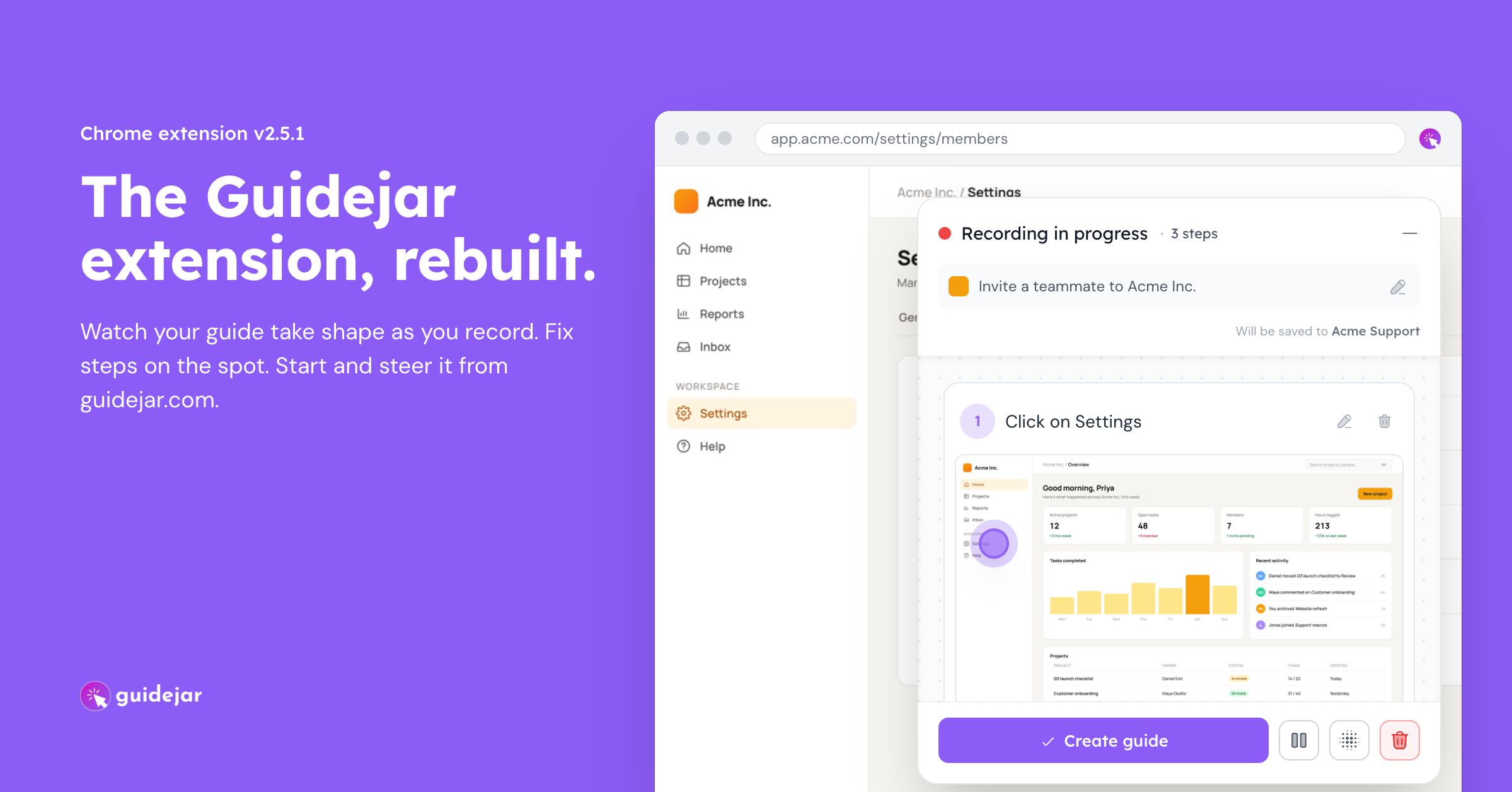
Until now the extension and the web app didn't really talk to each other. You recorded in one, then went to the other to clean up. v2.5.1 joins them up, and while we were at it we rebuilt the extension so that for most guides you barely need the editor at all: record, edit as you go, press stop, share the guide.
Start and steer recordings from your dashboard
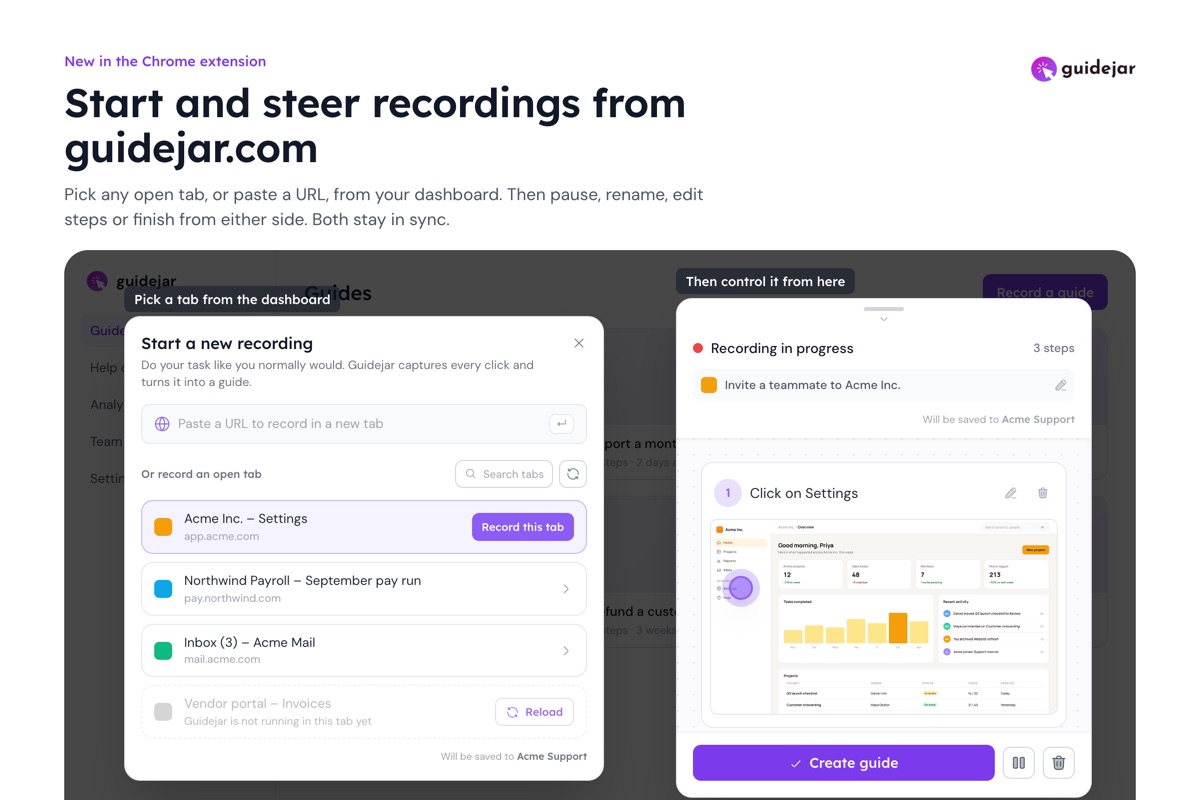
Click Record a guide on the dashboard, pick any open tab or paste a URL, and the extension starts recording there. From then on the dashboard shows the same recording the extension does: steps as they land, the title, the count. Pause, rename, edit steps or finish from whichever side you happen to be looking at.
See the guide while you're recording it
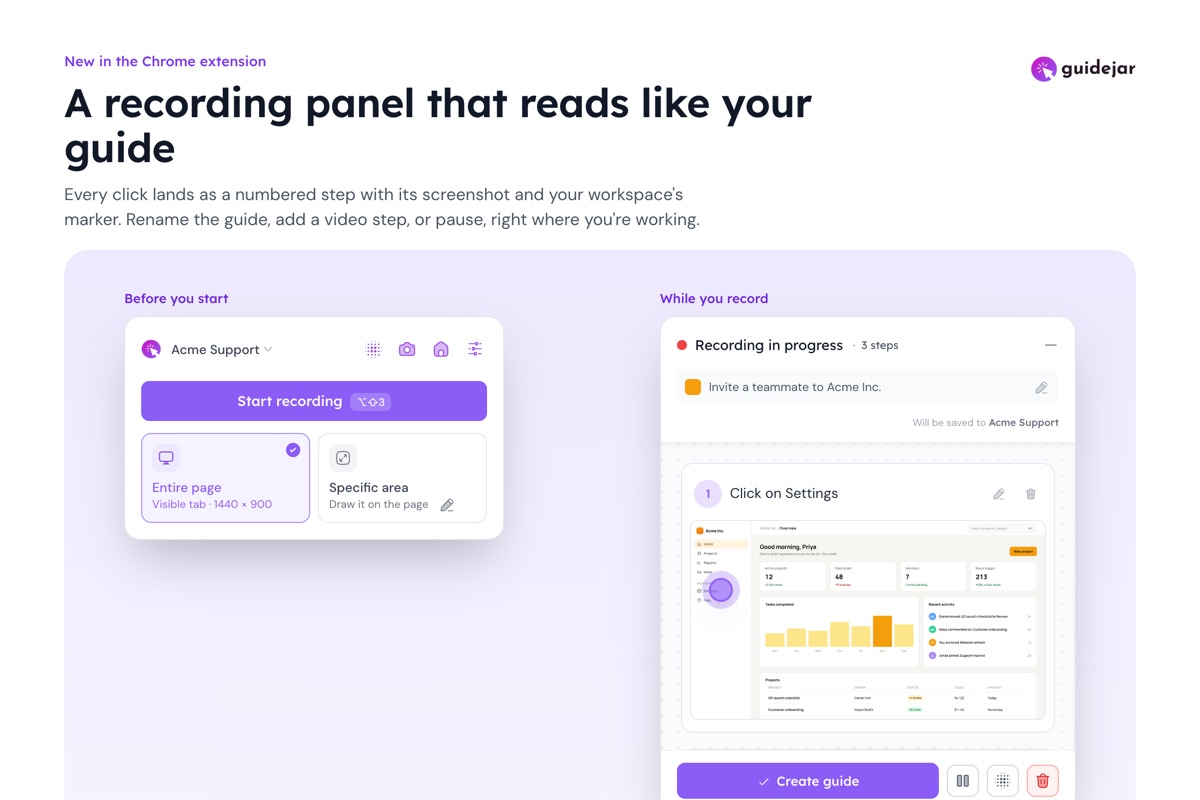
The new recording panel shows every step as it lands: the numbered instruction, the screenshot, and the hotspot in your workspace's style and color. What you see in the panel is what the guide will look like.
Fix a step without stopping
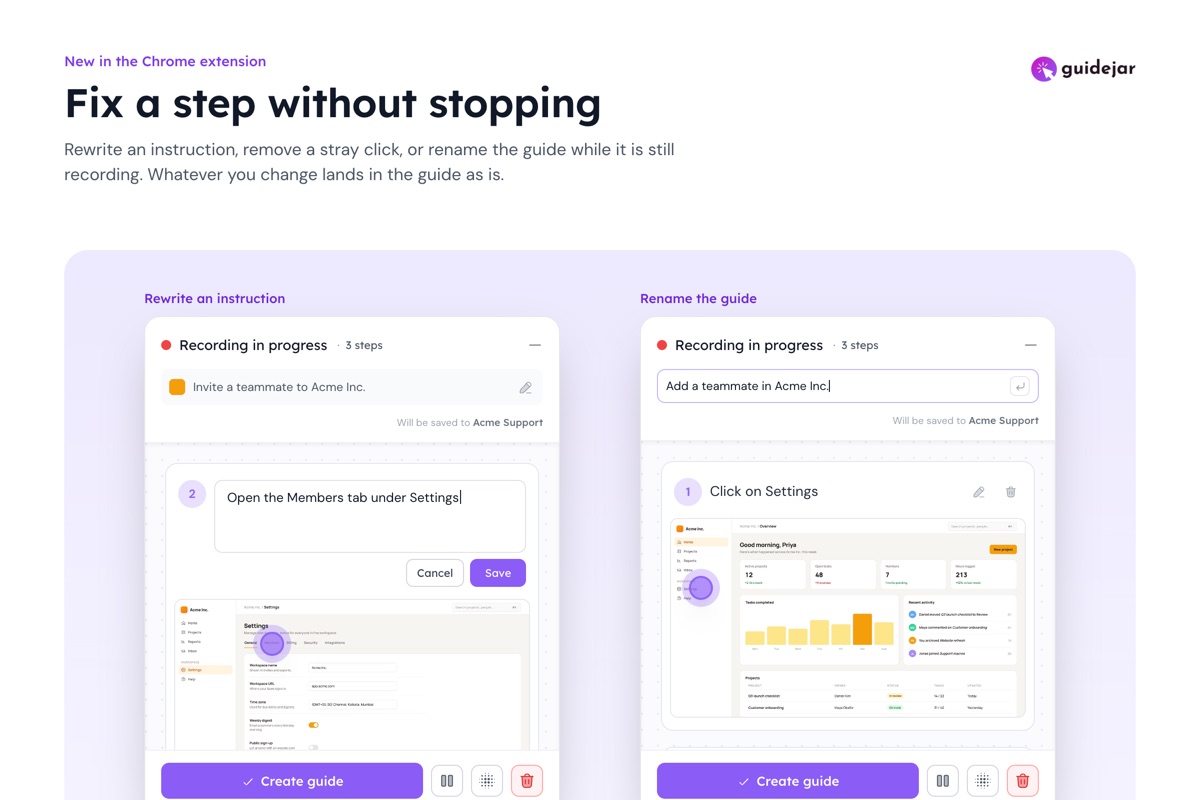
Reword an instruction, remove a stray click, rename the guide, or blur something sensitive, all while the recording is still running. Whatever you change is what gets saved, so most guides go straight from recording to a shareable link without you ever opening the editor.
Guidejar asks before it follows you into another tab
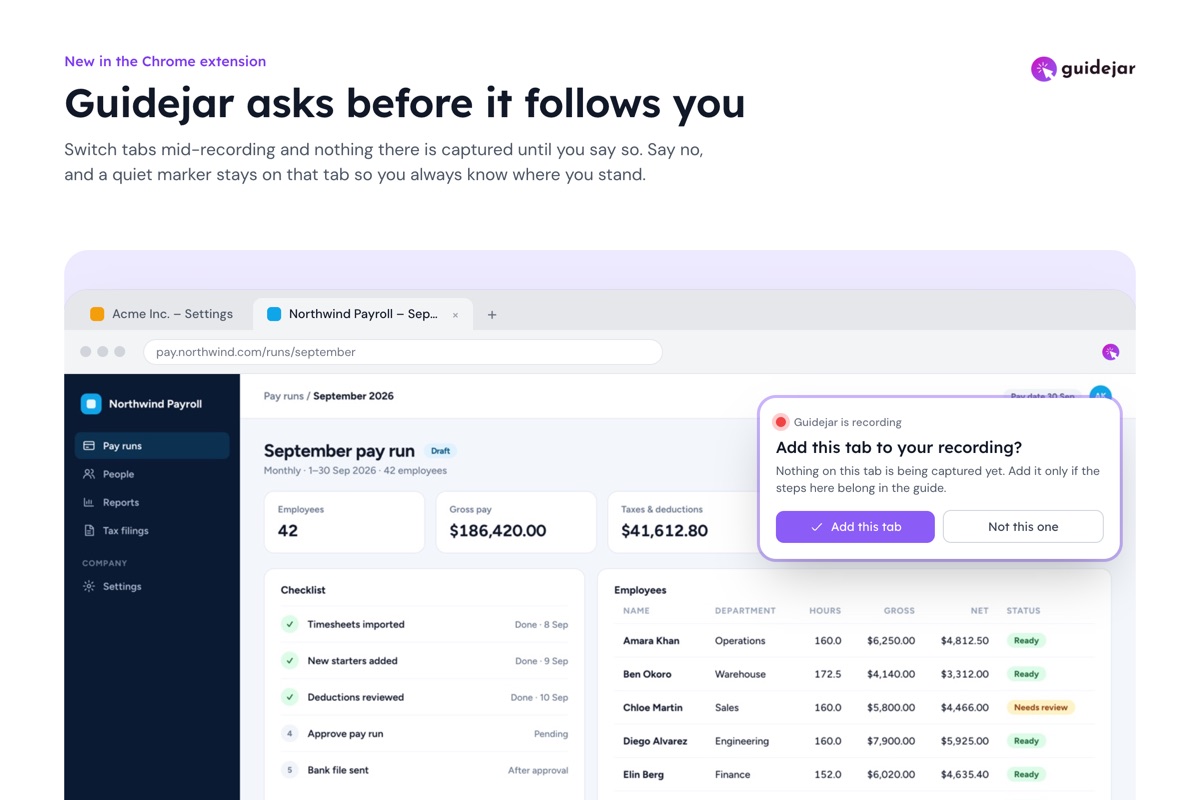
Guides often span more than one tab, so the recording follows you. The tab you switch to out of habit shouldn't end up in the guide, though. Now, when you land on a new tab mid-recording, Guidejar asks whether to add it before capturing anything there. Say no and a quiet marker stays on that tab so you always know it isn't being recorded.
How to get the new extension?
Chrome updates extensions on its own within a few hours. To check, open the extension, go to Settings and look for version 2.5.1. Haven't tried our extension yet? Install it from the Chrome Web Store. It works in Chrome, Edge, Brave, Arc, Opera and other Chromium browsers.
Give it a try on your next guide, and tell us what you think!